BallEngine

Magnet 3D:
Grab, carry, let go

An animated field that lifts thousands of metal objects and drops them all at once, harder and heavier every cycle.
Play the preview

In development0 creators want this next

A frame from Magnet 3D
Open the studio to run this mode live.

Magnet 3D is being built right now

The engine, the physics and the look are done enough to watch. What is not finished is everything around them: the settings, the presets and the export path. So we shipped it as a preview instead of sitting on it.

The order is decided by these votes rather than by us, and the most-voted modes go first. If this is the one you want, say so.

What you can do now
Open it in the studio and watch a full run, with sound, exactly as it stands today.
What is held back
Settings, randomize and export. The preview runs on our defaults so every viewer judges the same version.
When it ships
The most-voted unfinished mode is the one we take next.

What Magnet 3D does

Thousands of metal balls clump, get carried by a magnetic field, and rain down in a metallic clatter when it switches off, harder every cycle.

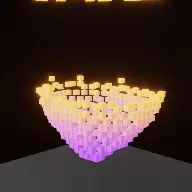
Magnet 3D is a cycle of grab, carry and release. An animated magnetic field takes hold of a pile of metal balls, lifts and moves it, and then switches off. The whole cluster rains back down onto the floor in a clatter. Then it does it again, bigger.

The release is the payoff and its timing is known in closed form, so it can be parked exactly on the beat drop. The clatter follows one free-fall later, which means both halves of the payoff, the letting go and the landing, are placed deliberately rather than arriving whenever the physics happens to finish.

The reason it escalates is that one cycle is a good five seconds and the same cycle eight times is a boring forty. Three escalations stack: within each cycle the motion intensifies, each cycle is stronger than the last, and the swarm itself grows.

How a run plays out

The exact sequence the engine runs in this mode, from the first frame to the moment the run resolves.
  1. 1.

    The field grabs the pile

    An animated magnetic field takes hold of the metal objects on the floor, pulling them into a clump around the magnet body.

  2. 2.

    It carries them

    The field motion moves the clump up, across or around depending on the programme, so the mass travels as a single body.

  3. 3.

    The field switches off

    Release happens at a computed time, so it can be placed on the drop. Everything the field was holding falls at once.

  4. 4.

    Each cycle escalates

    Power ramps up between cycles, the swarm grows, and the motion within each cycle intensifies, so the run keeps building rather than repeating.

Every control in Magnet 3D

These are the settings this mode adds on top of the shared physics, visual, audio, and export controls. Names match the studio sidebar exactly.

Programme and shapes

  • Programme & Shapes
  • Programme
  • Magnet Shape
  • Object Shape
  • Show Magnet

The programme is the sequence of motions the field performs. Showing the magnet gives the force a visible cause instead of leaving objects moving on their own.

Power and build-up

  • Power Ramp
  • Power Label
  • Build-Up
  • Escalate Every Cycle
  • Grow The Swarm

The power label is the same device that makes Ball Crush work: a stated number turns a bigger effect into a measured escalation.

The field

  • The Field
  • Field Motion
  • The Opening
  • Start Pattern

Field motion decides whether the clump rises, sweeps or orbits. The opening pattern sets what the floor looks like before the first grab.

Look and audio

  • The Objects
  • Color
  • Color Mode
  • Object Tint
  • Second Tint
  • Magnet Body
  • Override Audio

Metallic tints are what make the clatter believable. The sound and the material have to agree or the impact reads as plastic.

Why Magnet 3D videos hold attention

What keeps people watching this mechanic.

The release is a held breath

A mass of metal suspended in the air is visibly about to fall. The moment before the field cuts is the most tense frame in each cycle.

The clatter is a sensory payoff

Thousands of small metal impacts arriving together is a texture people respond to physically, and it happens several times a run.

Escalation prevents repetition

Because power, swarm size and motion all grow, the eighth cycle looks nothing like the first even though the mechanic is identical.

The power number states the stakes

A visible multiplier tells the viewer this cycle is bigger before it happens, which sets an expectation the release then meets.

Videos you can make in this mode

Each of these is a different configuration of the same mode, so one setup session produces a batch of related uploads.

Escalating lift

A programme of rising cycles with the power label on. The clearest version of the format.

Sweep and drop

A field motion that carries the clump across the frame before releasing, so the landing is somewhere new each time.

Orbit

A circling field so the mass travels around the magnet, which reads as the most obviously magnetic of the motions.

Drop-synced release

The release parked on the track’s drop, with the clatter landing a free-fall later.

Growing swarm

More objects added every cycle so the final release is visibly the largest mass of the run.

Two-tint metal

Two object tints so the clump has internal structure rather than reading as one grey mass.

Make your first Magnet 3D video

The order that works. Following it out of sequence usually means retuning settings you already set.
  1. 1.

    Choose the programme

    This is the sequence of motions the run performs, so it defines the shape of the whole video.

  2. 2.

    Turn on the power label

    A visible multiplier is what turns repeated cycles into an escalation the viewer can follow.

  3. 3.

    Park the release

    Set the release to land on the drop, and remember the clatter arrives one free fall later.

  4. 4.

    Grow the swarm

    Enable swarm growth so the last cycle is visibly the biggest.

  5. 5.

    Tune the metal

    Set tints and the magnet body so the objects read as metal, which is what makes the clatter convincing.

Settings that make the difference

  1. Show the magnet. An invisible force moving thousands of objects reads as a glitch rather than as magnetism.
  2. The release time is computed, so use it. Landing it on the drop is free and it is the biggest moment in the run.
  3. Remember the clatter is one free-fall after the release. If you want the impact on the beat, the release goes earlier.
  4. Two object tints stop the clump looking like a single grey blob when it is suspended.
  5. Escalation is what makes the eighth cycle worth watching. Without it, three cycles is the whole video.

What breaks a run

  1. Hiding the magnet, which removes the visible cause of everything happening.
  2. A flat power ramp, so every cycle is the same and the run has no direction.
  3. Placing the clatter on the drop by placing the release there, which puts the impact a free fall late.
  4. A single dull tint on the objects, which makes a suspended clump unreadable.

Why the release time is computed

The obvious way to build this is to let the physics run and cut the field when it feels right. That produces a release that lands wherever it lands, which is fine once and useless for a format meant to be synchronised with music.

Instead the release happens at a time the mode knows in advance, so it can be placed deliberately. The most valuable place to put it is the drop, because a suspended mass of metal letting go is exactly the kind of visual event a drop wants.

The subtlety is the second event. The clatter is not the release; it happens one free fall later when the mass arrives. Both are payoffs, they are a fixed interval apart, and deciding which of the two lands on the beat is a real creative choice rather than a detail.

Three escalations, stacked

One grab-carry-release cycle runs about five seconds. Eight of them is forty seconds of the same five seconds, which is the failure mode this mode was designed against.

So three things escalate at once. Within a cycle, the motion intensifies as it proceeds, so the second half of a lift is more energetic than the first. Between cycles, the power ramps, and the label says so. And the swarm itself grows, so there is physically more material involved each time.

Stacking them means the difference between cycle one and cycle eight is large along three independent axes. The mechanic never changes, and the video never repeats itself, which is the only way a cyclic format survives a full minute.

Magnet 3D questions

Open Magnet 3D

Every control on this page is already in the studio. Load the mode and start from a working run.