BallEngine

Accumulate Mode:
One ball becomes hundreds

Every wall hit, touch or timer tick adds a new ball, and the arena fills at a steady pace you set.
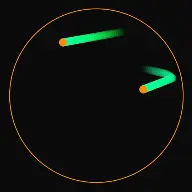
A frame from Accumulate Mode
Open the studio to run this mode live.

What Accumulate Mode does

One ball becomes hundreds, and the arena fills a little more every second. Everything on this page is specific to that mechanic.

Accumulate Mode keeps adding balls to the arena. A run starts with one or two balls, and every time something happens, like a wall hit, two balls touching, a split or a timer tick, more balls join in. The ball count is the story of the video: sparse and readable at the start, busier every second, and full by the end.

The growth is paced, not a runaway. Wait between new balls sets how often a ball can be added and Max balls sets where the growth stops, so Wait × Max balls is roughly how long the build-up lasts. The defaults, 0.5 seconds and 100 balls, fill the arena in about 50 seconds, so a 30 to 60 second clip is still building at the end.

Accumulate is also easy to pair with sound. Each bounce plays a short Pop by default, and the Studio plays at most about 15 bounce sounds a second, so a run that starts quiet gets livelier as it fills without turning into noise.

How a run plays out

The exact sequence the engine runs in this mode, from the first frame to the moment the run resolves.
  1. 1.

    The run starts small

    Starting balls sets how many balls open the run. Two is the default: one ball reads as a normal bounce loop, while two already hints that more are coming.

  2. 2.

    You pick how new balls appear

    One choice decides what adds a ball: Wall hit (the default), Balls touch, Split apart, Steady drop, Escape the ring, Count to a goal or Merge numbers. The panel only shows the settings the chosen style uses.

  3. 3.

    The pace stays steady

    Balls added each time sets how many balls join at once, and Wait between new balls sets how often that can happen, whatever adds them. In Steady drop the wait is the exact timer. Every ball keeps bouncing at a steady speed, so the crowd stays in motion instead of sinking into a pile.

  4. 4.

    The count climbs to Max balls

    Max balls is the ceiling and, in practice, your ending. Turn on Old balls fade away if you want the run to keep going instead, or Merge into a bigger ball if you want touching balls to combine into bigger ones.

Every control in Accumulate Mode

These are the settings this mode adds on top of the shared physics, visual, audio, and export controls. Names match the studio sidebar exactly.

How new balls appear

  • Wall hit
  • Balls touch
  • Split apart
  • Steady drop
  • Escape the ring
  • Count to a goal
  • Merge numbers

Pick one. Wall hit is the easiest place to start. Escape the ring, Count to a goal and Merge numbers each have their own settings section right below Accumulate settings.

Growth

  • Starting balls
  • Balls added each time
  • Wait between new balls (sec)
  • Max balls
  • Pieces per split
  • Times a ball can split

Wait between new balls sets the pace for every style and Max balls sets the end. Pieces per split and Times a ball can split only show for Split apart.

When balls touch

  • Merge into a bigger ball
  • Biggest size

Balls bounce off each other. With Wall hit or Steady drop you can have two balls that touch become one bigger ball instead, up to Biggest size.

More

  • Old balls fade away
  • Seconds before a ball fades
  • Add balls on the beat
  • Beat sensitivity

Fading keeps the arena from ever filling, so the run can go on as long as you like. Add balls on the beat drops in a ball from the centre on loud beats in the playing song.

Why Accumulate Mode videos hold attention

What keeps people watching this mechanic.

The idea is clear in two seconds

A viewer who lands mid-scroll does not need the caption. Two balls become three, then four, and the premise is already understood, which is exactly the window short-form feeds measure.

Growth promises a payoff

A count that keeps climbing sets an expectation that the arena will fill. Viewers stay to see it full, and at the default pace that moment lands near the end of a 60 second clip.

Density carries the sound

More balls means more bounces, so the audio gets livelier on its own. Because the Studio plays at most about 15 bounce sounds a second, a full arena sounds busy rather than harsh.

The length is yours to set

Wait between new balls times Max balls is roughly how long the build-up lasts, so you can aim a run at 30 seconds or 60 before you export instead of trimming it afterwards.

Videos you can make in this mode

Each of these is a different configuration of the same mode, so one setup session produces a batch of related uploads.

Fill the circle

A round arena, Wall hit, and the default pace of one new ball every 0.5 seconds up to 100 balls. The cleanest version of the mode and the best first video to shoot.

Growth on the beat

Turn on Add balls on the beat so loud beats in the song add balls too. Works well with a track that has an obvious build, because the crowd grows along with the music.

Split cascade

Pick Split apart. One big ball breaks into smaller pieces when it hits the wall, and the pieces break again until they are too small. The screen fills with small, fast balls instead of a steady climb.

Merge to giants

Pick Wall hit or Steady drop and turn on Merge into a bigger ball with a generous Biggest size. Balls that touch combine, so the arena grows crowded with fewer, bigger balls.

Merge numbers

Pick Merge numbers. Numbered balls drop in, and two with the same number merge into the next one: 2, 4, 8, all the way up to 2048. Viewers stay to see how high the biggest ball gets.

Count to a goal

Pick Count to a goal. A big counter climbs toward your goal, celebrates and starts again, so viewers watch a number climb and have a reason to wait for the finish.

Shape swap series

Shoot the same Accumulate settings inside a circle, a triangle, a hexagon and a star. The same settings against different shapes give you a batch of related videos from one setup session.

Make your first Accumulate Mode video

The order that works. Following it out of sequence usually means retuning settings you already set.
  1. 1.

    Open the mode

    Launch the studio with Accumulate selected. A new project starts on Wall hit with two starting balls, so the growth reads immediately.

  2. 2.

    Set the pace and the cap

    Leave Wait between new balls at 0.5 seconds and set Max balls to the density you want at the end. Play the run once and time it.

  3. 3.

    Tune the run length

    If the arena fills too fast, raise the wait or lower Balls added each time. If it drags, shorten the wait. For a 60 second clip, aim for Wait × Max balls of about 50.

  4. 4.

    Add the sound

    Bounces play a short Pop by default. Pick a different sound or your own song under Audio. Because the number of bounces rises with the crowd, the sound gets livelier as the run goes on.

  5. 5.

    Frame and export

    Switch to the vertical canvas, check that the boundary sits inside the safe area on mobile, and export. Save the configuration as a preset before you change anything.

Settings that make the difference

  1. Set Max balls from the last frame backwards. Decide how full you want the arena to look, then let Wait between new balls decide how long it takes to get there.
  2. Wait × Max balls is roughly the length of the build-up. 0.5 seconds and 100 balls takes about 50 seconds, and 0.3 seconds and 160 balls takes about the same with a busier ending.
  3. Keep Starting balls low. Starting with a crowd removes the growth story entirely.
  4. Balls touch adds each new ball where two balls bumped, so the crowd builds from inside the arena rather than from the walls.
  5. Old balls fade away keeps the arena busy while quietly retiring the oldest balls, so a long run keeps moving instead of ending as a full screen.

What breaks a run

  1. Setting Wait between new balls close to zero with a high Balls added each time. The arena fills before the viewer understands what is happening.
  2. Pushing Max balls toward 500 in a small arena. The balls lose the gaps between them, the motion stops reading, and playback can slow down.
  3. Using a dark ball colour on a dark background. At high density the run turns into an unreadable mass instead of visible motion.
  4. Raising Gravity or lowering Bounciness in the Physics tab. The balls pile up at the bottom instead of bouncing around the arena.

Tuning the growth curve

Accumulate runs live or die on pacing. The three settings that matter are Wait between new balls, Balls added each time and Max balls. The wait sets how often balls can join, Balls added each time sets how many join at once, and Max balls decides where the growth stops. Change one at a time and replay the run, because changing two at once makes it impossible to tell which one moved the timing.

Ball speed matters less than it looks. The wait caps the pace in every style, so once hits come faster than the wait allows, extra speed adds energy to the frame rather than balls to the count. If the build-up feels slow, shorten the wait; if it feels rushed, lengthen it.
Keeping high ball counts readable

Density is the appeal of the mode and also its main risk. Once several hundred balls share a small boundary the eye stops tracking individuals and the video flattens. Contrast is the first fix: a bright ball palette against a dark background keeps the mass legible far longer than mid-tone colours.

Size is the second fix. Slightly smaller balls at high counts preserve the gaps between them, and gaps are what make motion visible. If you want large balls, lower Max balls rather than fighting the crowding.

Fading is the third fix. Old balls fade away retires each ball after the number of seconds you set, so the frame keeps changing even when the count holds steady.

Accumulate Mode questions

Open Accumulate Mode

Every control on this page is already in the studio. Load the mode and start from a working run.